

Requirements
- An account in OKTA
API_URLis the public DNS name of the hoop gateway instance
API_URL address.
Identity Provider Configuration
Create an Application
- Go to
Applications > Applicationsand click on the Create App Integration button - In Sign-in Method, select OIDC - OpenID Connect
- In Application type, select Web Application
Configure the Redirect URIs
- Signin redirect URIs:
{API_URL}/api/callback - Signout redirect URIs:
{API_URL}/api/logout
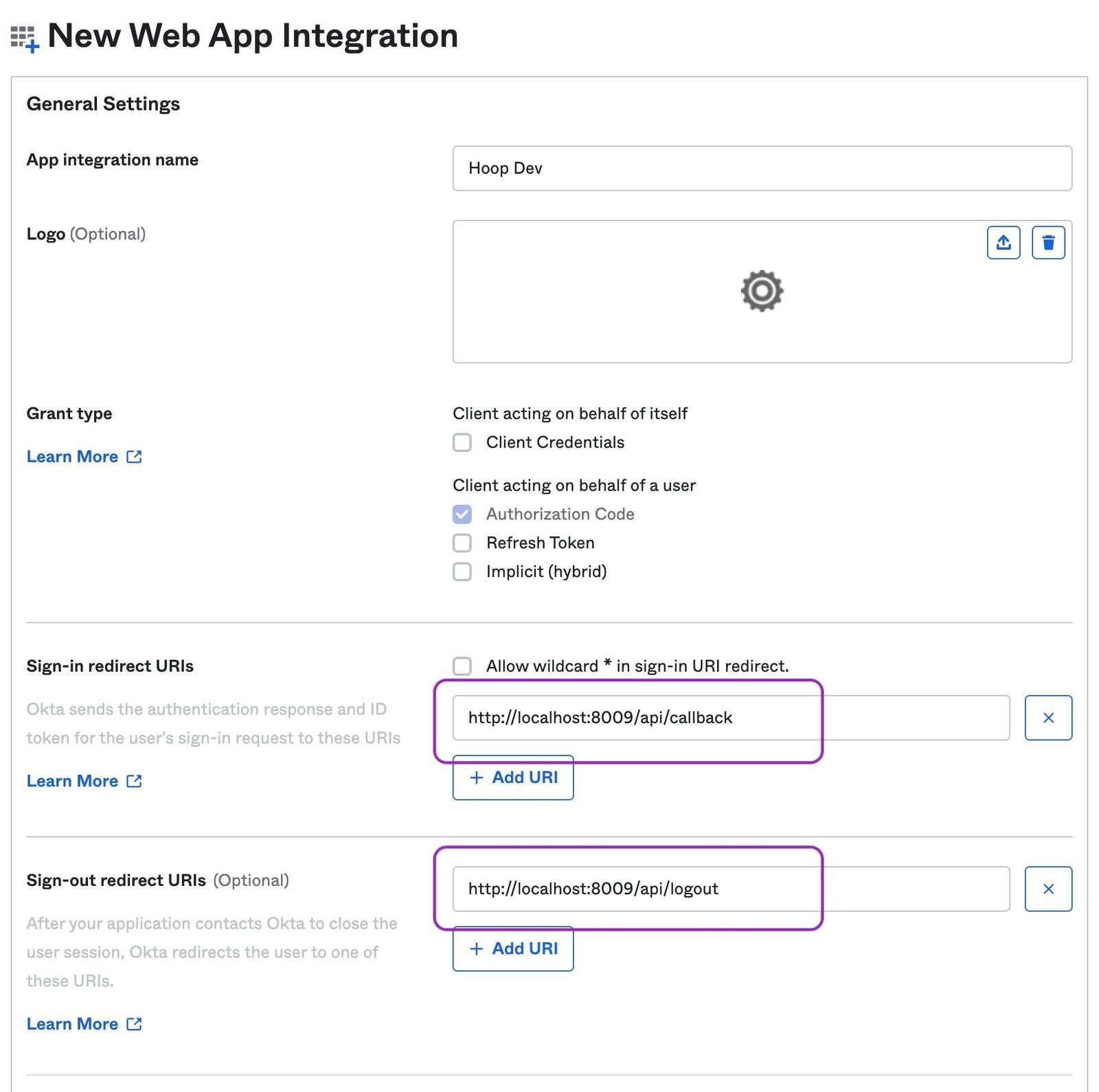
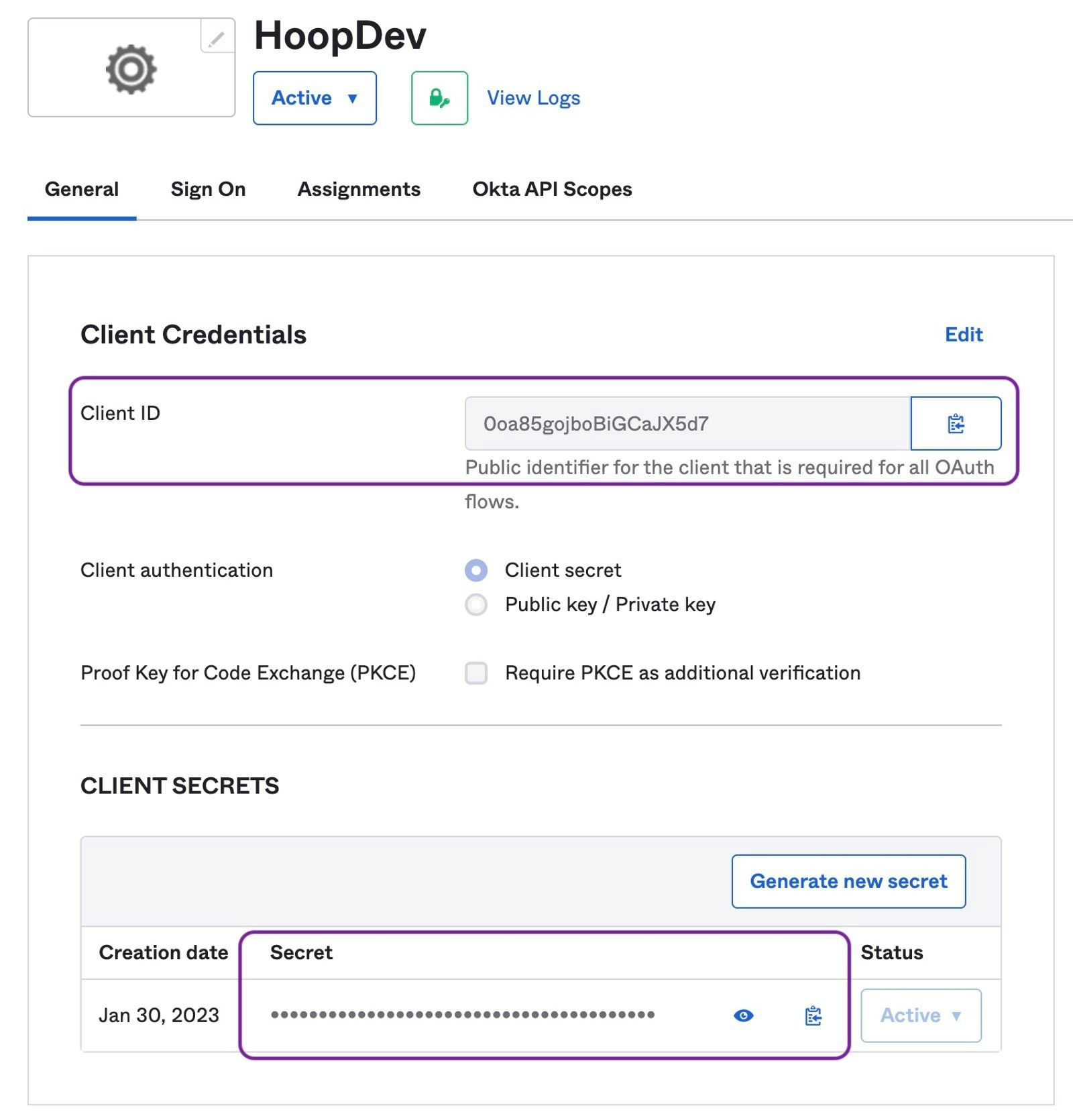
Collect Issuer Information
- The Issuer URI depends on the authorization server being used. Refer to this documentation.
If Okta does not allow external applications to validate access tokens, append
?_userinfo=1 to the Issuer URL (e.g., https://your-org.okta.com/oauth2/default?_userinfo=1). This tells the gateway to authenticate using the userinfo endpoint instead of validating the token directly.Configure Hoop Gateway
- Web App
- API
Go to Integrations > Authentication and fill in:
- Auth Method: OIDC
- Issuer URL: your Okta authorization server URI
- Client ID: the Client ID from above
- Client Secret: the Client Secret from above
- Groups Claim:
groups
Configuring Groups
Explains how to configure groups claim to propagate when users sign in.Refer to Okta’s Documentation for more information.
Add Groups Claims
- Go to
Security > API > {authorization server} > Claims - Click on
Add Claimsbutton
groups claim for the ID Token to any scope (image below)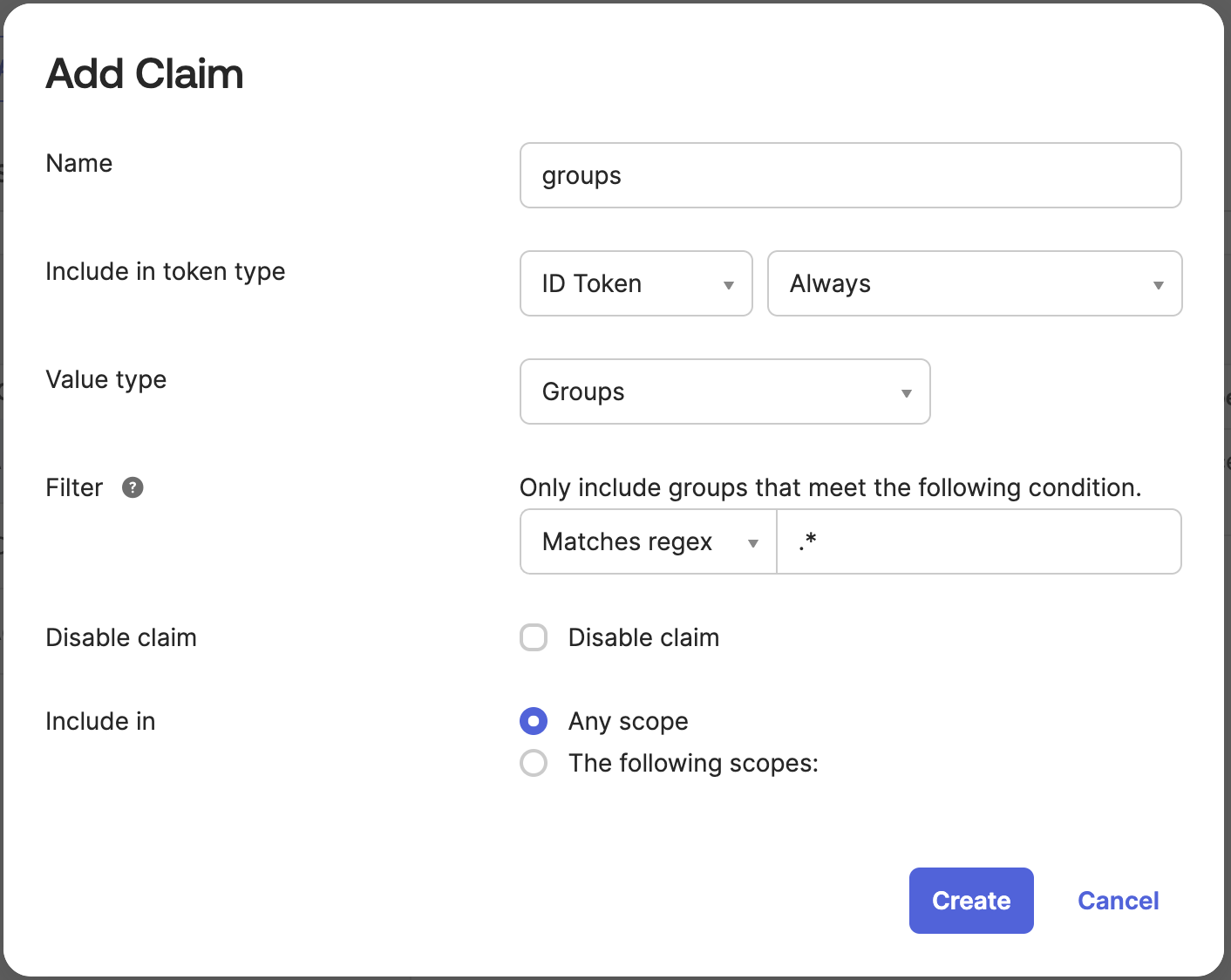
Token Preview Test
This step validate if the configuration is returning the 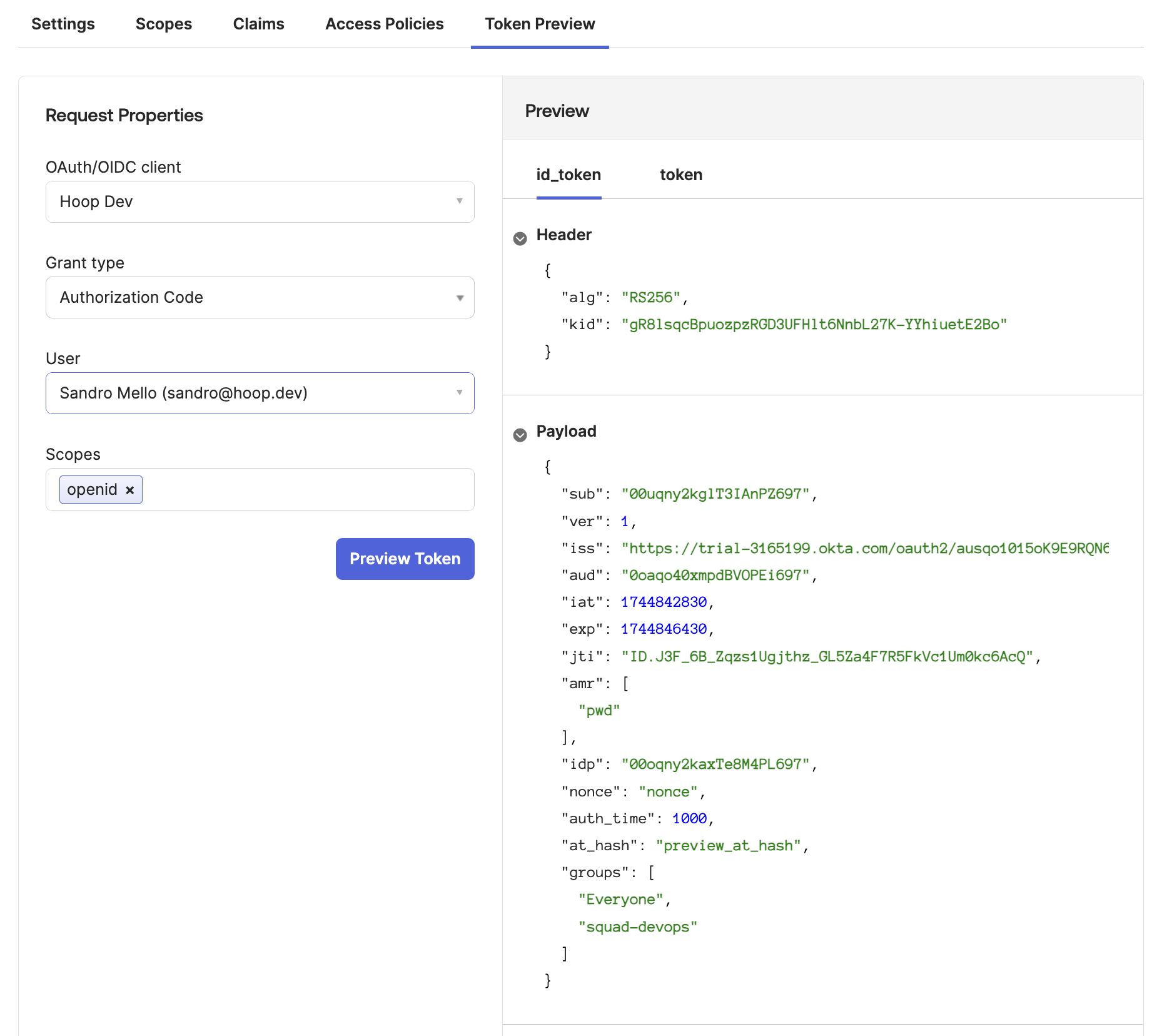
groups claim properly- Go to
Token Previewtab - Select the Hoop Application
- Select the Grant Type as
Authorization Code - Select a user associated with this application
- Add the scope
openid
groups containing the groups associated with your application (image below)